Scan the ID
Staff scan a driver license, state ID, or supported passport document at the door.

How It Works
SCIDScan helps door staff scan IDs, verify key details, and make faster entry decisions with fewer mistakes.
Simple Door Flow
Staff scan a driver license, state ID, or supported passport document at the door.
The app displays the guest’s name, date of birth, expiration status, and ID details in a clear format.
Alerts help staff quickly identify underage guests, expired IDs, banned guests, VIPs, or other venue-specific groups.
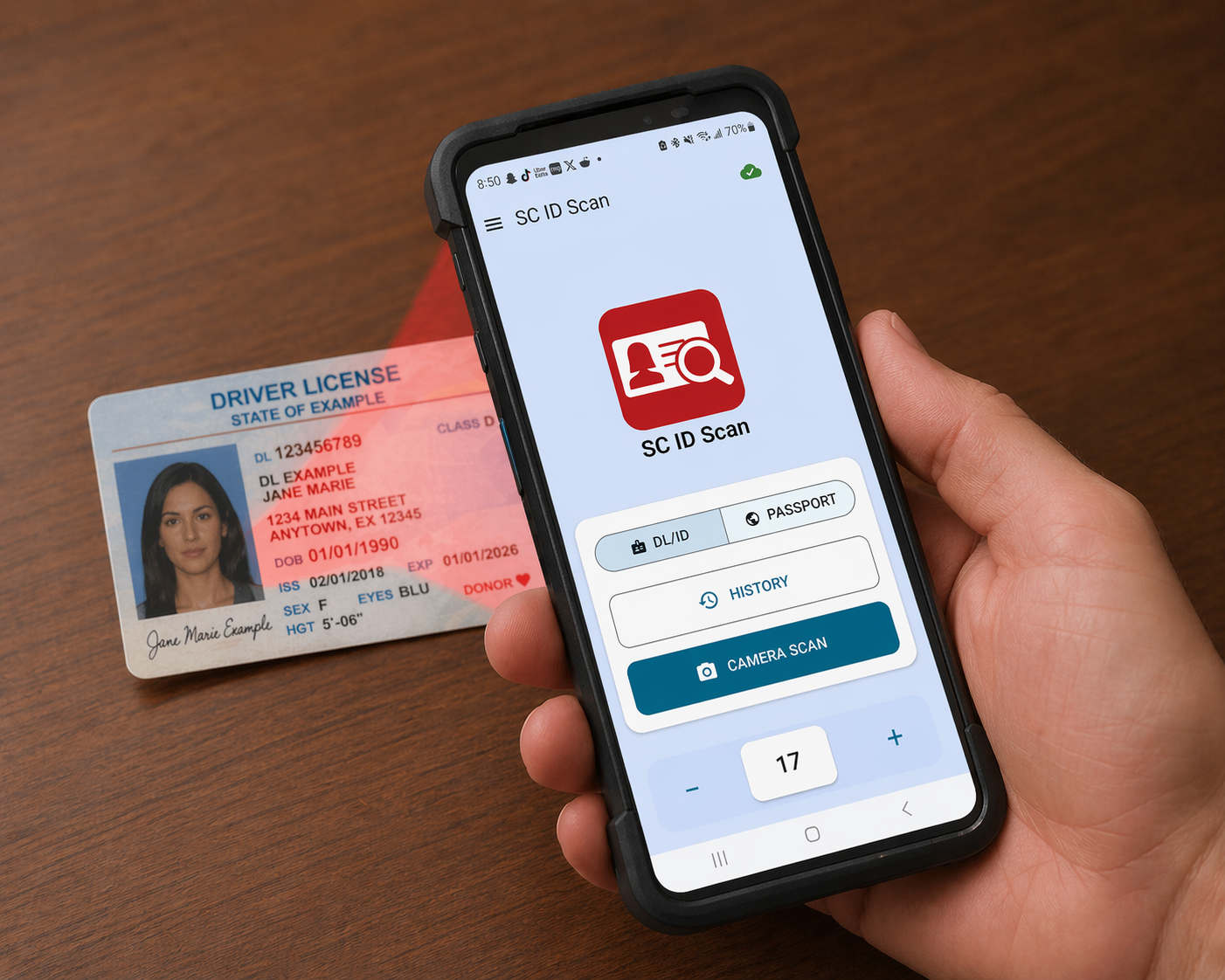
Real Example
A quick scan shows key ID details instantly so staff can make fast, confident decisions at the door.
The interface is designed to be clear, simple, and fast — even in low-light or high-traffic environments.
Real-Time Alerts
SCIDScan is designed to reduce hesitation at the entrance. Instead of forcing staff to dig through records, important warnings and guest status information are shown right after the scan.
Underage guest
Expired ID
Banned guest
VIP guest
Custom venue groups
Operational Control
Keep a record of scans so management can review activity and understand what happened at the door.
Assign guests to groups such as VIP, banned, watch list, or other custom categories used by your venue.
Settings can be configured around your venue’s age requirements, operating hours, and door procedures.
Request pricing and learn how SCIDScan can be configured for your door staff and entry process.
Contact Us